Drevon 1.4.1 — Setup That Finishes, Sign-In That Takes One Tab
Drevon 1.4.1 — Setup That Finishes, Sign-In That Takes One Tab
Released September 26, 2026
There are two things you do in Drevon before any agent does any work: you let setup install your tools, and you sign in to the model you want to use. On a brand-new Mac, both of those had gotten worse than they should be.
Setup ended with a red row. Signing in to Claude Code opened two browser tabs, and depending on which one you clicked, you were either done or staring at a code you were asked to copy back. When you did paste it, Drevon sometimes rejected it.
This release fixes both.
Setup finishes on a fresh Mac again
If you installed Drevon on a new machine recently, you probably saw everything go green except Google Antigravity CLI, with an error about an unknown parameter.
That was not your machine. Google rewrote the script that installs their CLI and quietly removed two options Drevon relied on. Their documentation still lists them, so nothing announced the change; the script simply started refusing to run.
Instead of chasing the script, Drevon now installs the Antigravity CLI directly. It reads Google's own release list, downloads the build for your Mac, checks it against Google's published fingerprint, and puts it in Drevon's toolchain folder. Two things follow from that:
- You get a real progress bar instead of a spinner that sits still for a minute.
- Nothing is written to your shell profile. Google's script adds lines to your
.zshrcand friends; the direct install does not touch them at all.
Google's script is still there as a fallback, for the day their release list moves. It runs in a sealed-off folder so it cannot edit your profile either.
Setup is faster
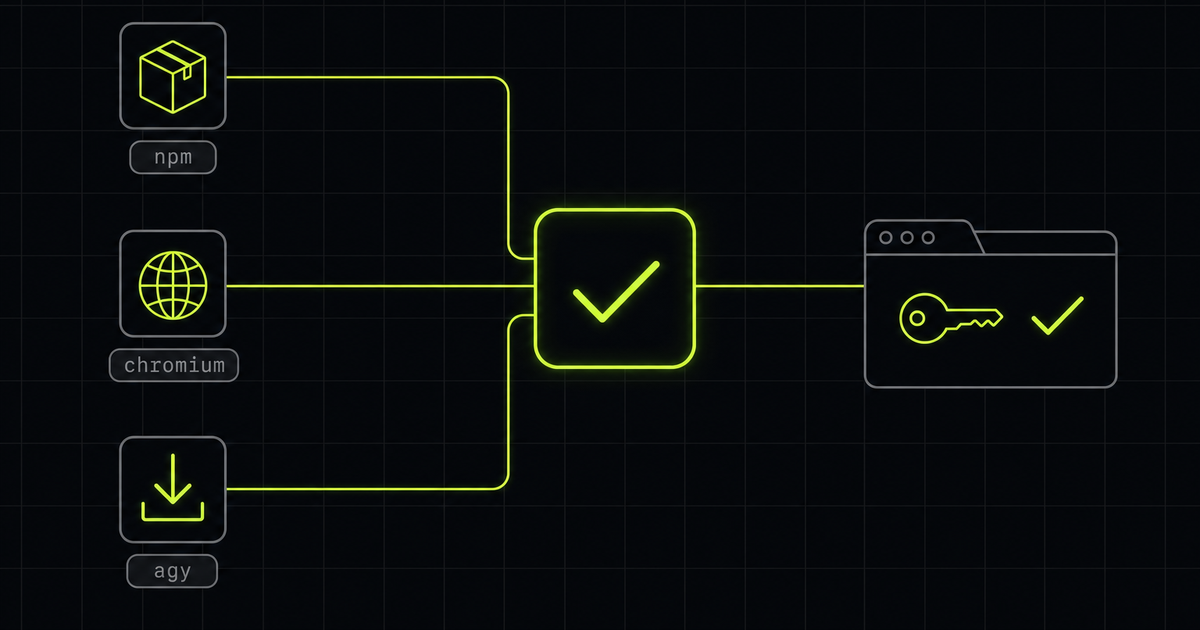
Setup used to download everything one after another: the command-line tools, then the private Chromium browser that Agent Browser uses, then the Antigravity CLI. Each of those is limited by your connection, not your Mac, so they were waiting on each other for no reason.
They now download side by side. On a fresh machine that roughly halves the time spent downloading.
If setup ever does feel slow, Copy diagnostics on the setup screen now includes how long each tool took, so we can tell you which one and why.
Signing in to Claude Code takes one tab
From onboarding, from New Agent, from the message box when you try to send while signed out, and from the "sign in again" note inside a chat, Drevon now runs the same sign-in you would run in your terminal.
One browser tab opens. You click Authorize. You land back in Drevon, signed in.
What was going wrong before: the Claude Code sign-in prepares two links. It opens one itself, which finishes the sign-in automatically, and it shows a second one for people who are signing in on another device, which ends on a page with a code to copy. Drevon was opening that second link too, on top of the first. Whichever tab you happened to click decided whether sign-in finished on its own or asked you for a code.
Drevon no longer opens the second link. It is still there if you need it, behind Browser didn't open? Copy the sign-in link.
If Anthropic does show you a code
Sometimes you will still land on the code page, for example when you open the sign-in link yourself in a different browser. Pasting it now just works:
- Paste whatever you copied. The code with the page address stuck to the end of it used to be rejected; Drevon now finds the code inside it.
- A wrong paste says so in seconds, and the box is ready for another try. It used to spin for ten minutes.
- Closing the window or clicking Not now stops the sign-in, so a tab you abandoned cannot finish it later.
Drevon's own Claude token
In Settings, you can still set up Drevon's dedicated Claude token, which lasts a year and keeps your agents running even if Claude Code signs out elsewhere. Two changes there:
- If that token stops working, signing in replaces it. Before, signing in fixed your normal Claude Code login but agents kept using the dead token, so the very next message failed the same way. A token that still works is left alone.
- Settings checks that your Mac can store the token before it starts. Creating the token signs Claude Code out elsewhere, so finding out afterwards that it could not be saved cost you that sign-in for nothing.
Also in this release
The setup screen used to say "All the tools Drevon needs are installed" even while one row was red. It now says how many optional tools could not be installed, and that everything else is ready.
Get the update
Drevon updates automatically in the background. Relaunch the app and you will be on 1.4.1. Or download it directly at drevon.dev/download.